New · Internal Release
Appearance
Studio
Where before you struggled with rigid templates, now you can design with total flexibility — precise control over size, shape, color, layout, and content.
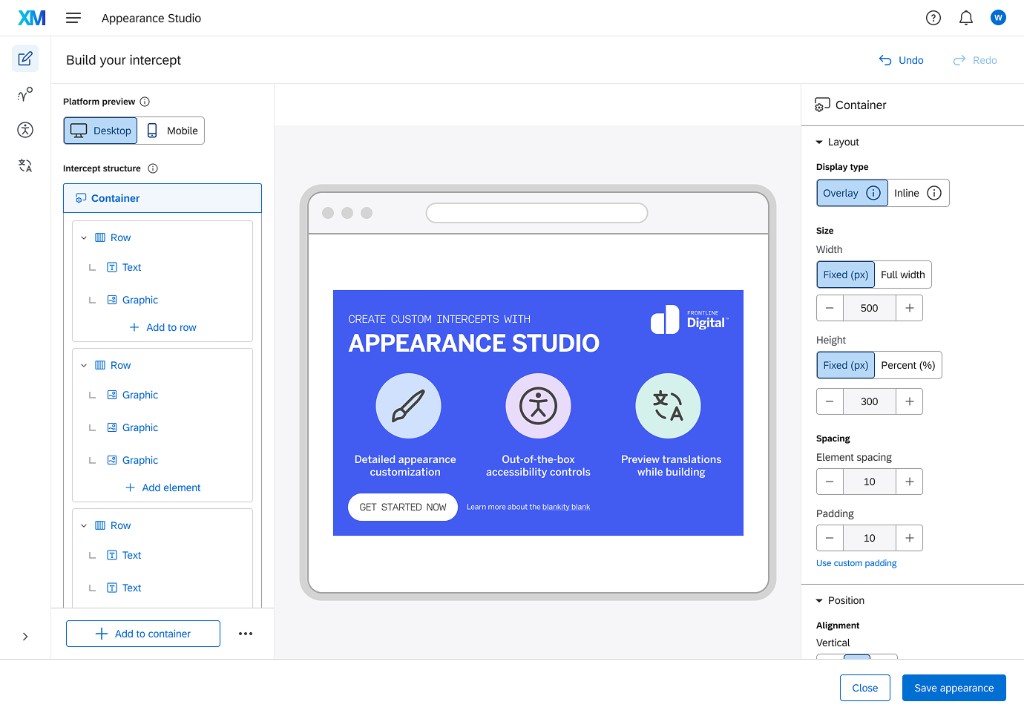
Tailor Feedback Invitations
Align intercepts seamlessly with your brand. Precise control over size, shape, color, layout, and content — no developer required.
Enhanced Design Flexibility
A structured element editor lets you compose text, images, and buttons with drag-and-drop control. Build layouts that fit any website, any brand.
Improves Critical Features
Responsiveness across screen sizes, improved translation accuracy, and built-in accessibility controls for global, compliant deployments.
Everything in one studio
A single unified editor replaces the disconnected Intercept + Creative model — with live preview at every step.
True WYSIWYG canvas
Click directly into any element to edit. Three workspaces keep everything in reach: element tree, live canvas, and contextual configuration panel.
- Drag-and-drop element hierarchy
- Desktop & mobile preview toggle
- Granular spacing, padding & margin controls
- Overlay or inline display types
Use-case templates
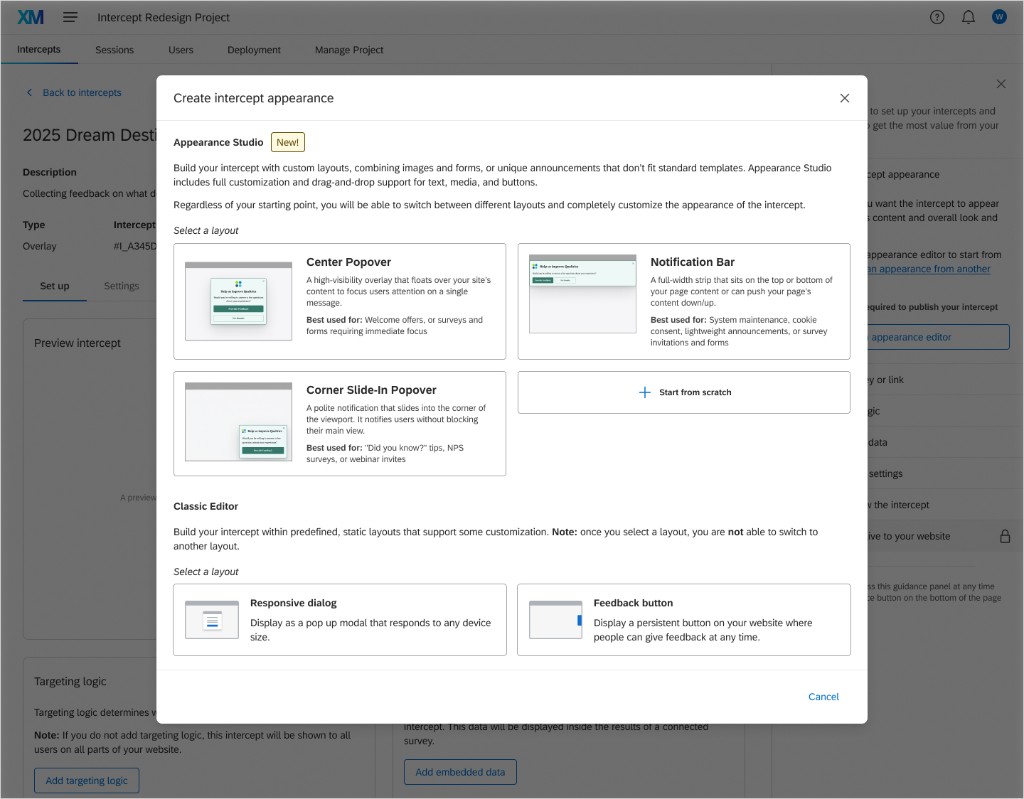
Start from a pre-built layout tuned for your goal — or start from scratch for a truly custom experience.
- Center Popover — high-visibility overlays
- Notification Bar — top or bottom banners
- Corner Slide-In — polite, non-blocking nudges
- Start from Scratch — full creative freedom
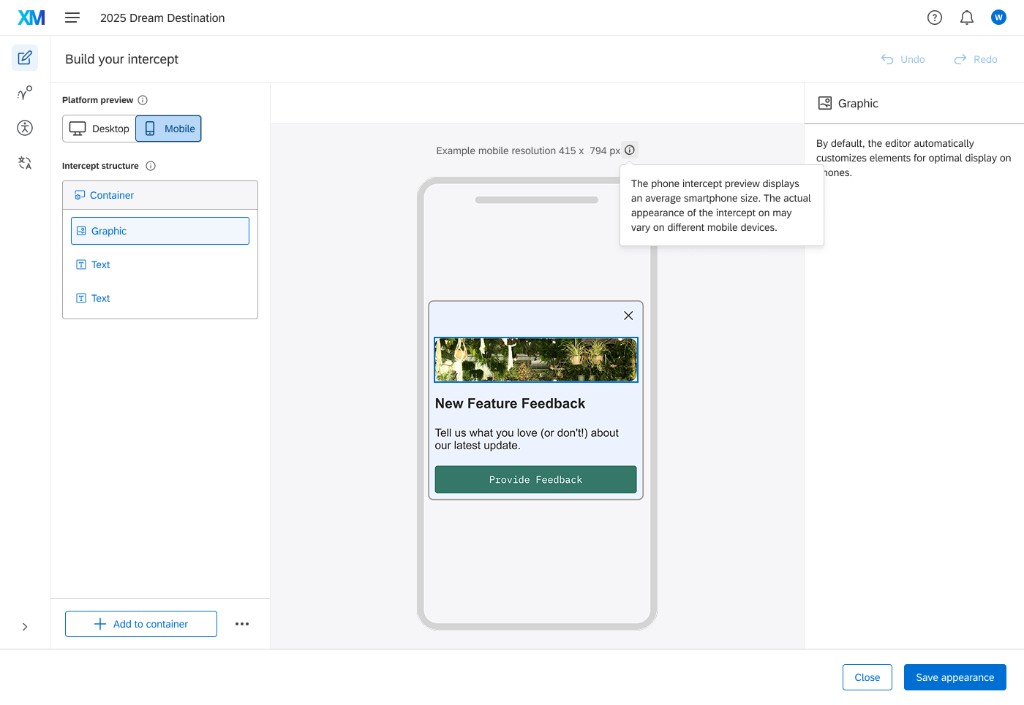
Responsive by design
Toggle between desktop and mobile preview at any time. The studio automatically adapts element sizing so intercepts look great on every device.
- Live 415 × 794 px mobile preview
- Auto-scaling and max-width logic
- Per-breakpoint visibility controls
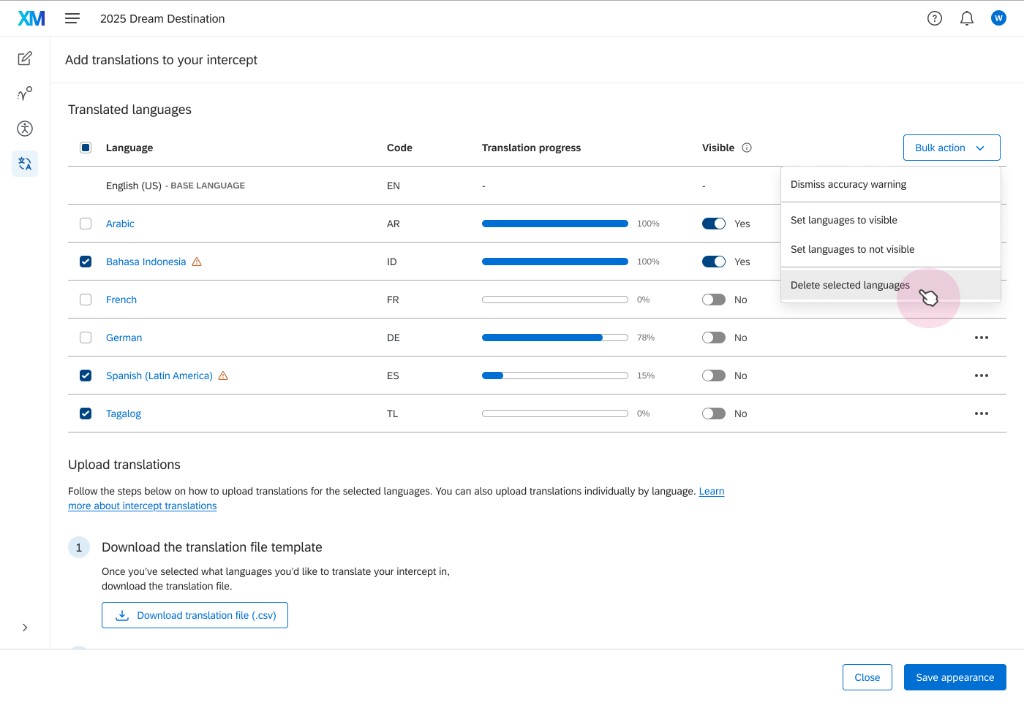
Streamlined translations
Manage every language in one place. Upload a CSV, track progress per language, and toggle visibility — all without leaving the studio.
- Import & export CSV translation files
- Per-language progress tracking
- Bulk language visibility management
- Preview translations inline while building
Built-in accessibility
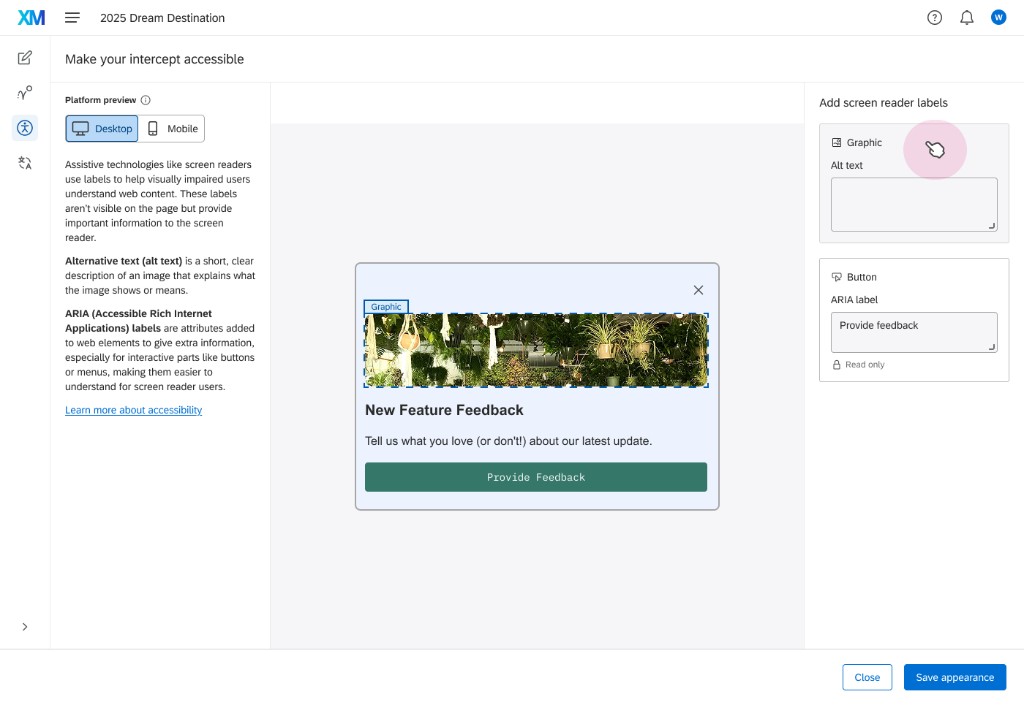
Add alt text for every graphic and ARIA labels for every button in a dedicated panel — so intercepts work for every user, including screen reader users.
- Alt text fields for all graphics
- ARIA labels for interactive elements
- Compliance-ready for enterprise teams
Strategic Framework
Beyond feedback — Convert, Contain, Retain
Appearance Studio moves Qualtrics from "feedback only" into a full website action platform. The flexible editor unlocks use cases we couldn't compete for before.
Drive Revenue
Proactively grow the business with lead gen forms, cart abandonment offers, promotional banners, and multi-step quizzes. This is our new growth engine.
Deflect Support Costs
Identify user frustration with DXA signals and deploy targeted Digital Agents to solve problems in real-time — before a support ticket is opened.
Build Long-Term Loyalty
Surface systemic issues with VoC + DXA data and fix them at the root cause, improving the core experience and reducing churn over time.
Customer benefits
Cohesive, On-Brand Experience
Use drag-and-drop functionality to create a more cohesive, on-brand digital experience by tailoring the appearance of every feedback intercept.
Enhanced Engagement
Increase response rates by making feedback requests and elements feel like a natural, native part of your site — not an intrusion.
New Use Cases Unlocked
Design and launch a variety of website calls to action — webinar sign-ups, announcements, lead capture — with full design flexibility.
Questions or feedback on the release?
Reach out to the team or visit the Help Center for detailed documentation.